
Sound settings
Edited
The kiosk features sound notifications when the Aborted transaction screen activates. You can modify the sound level to suit your preferences.
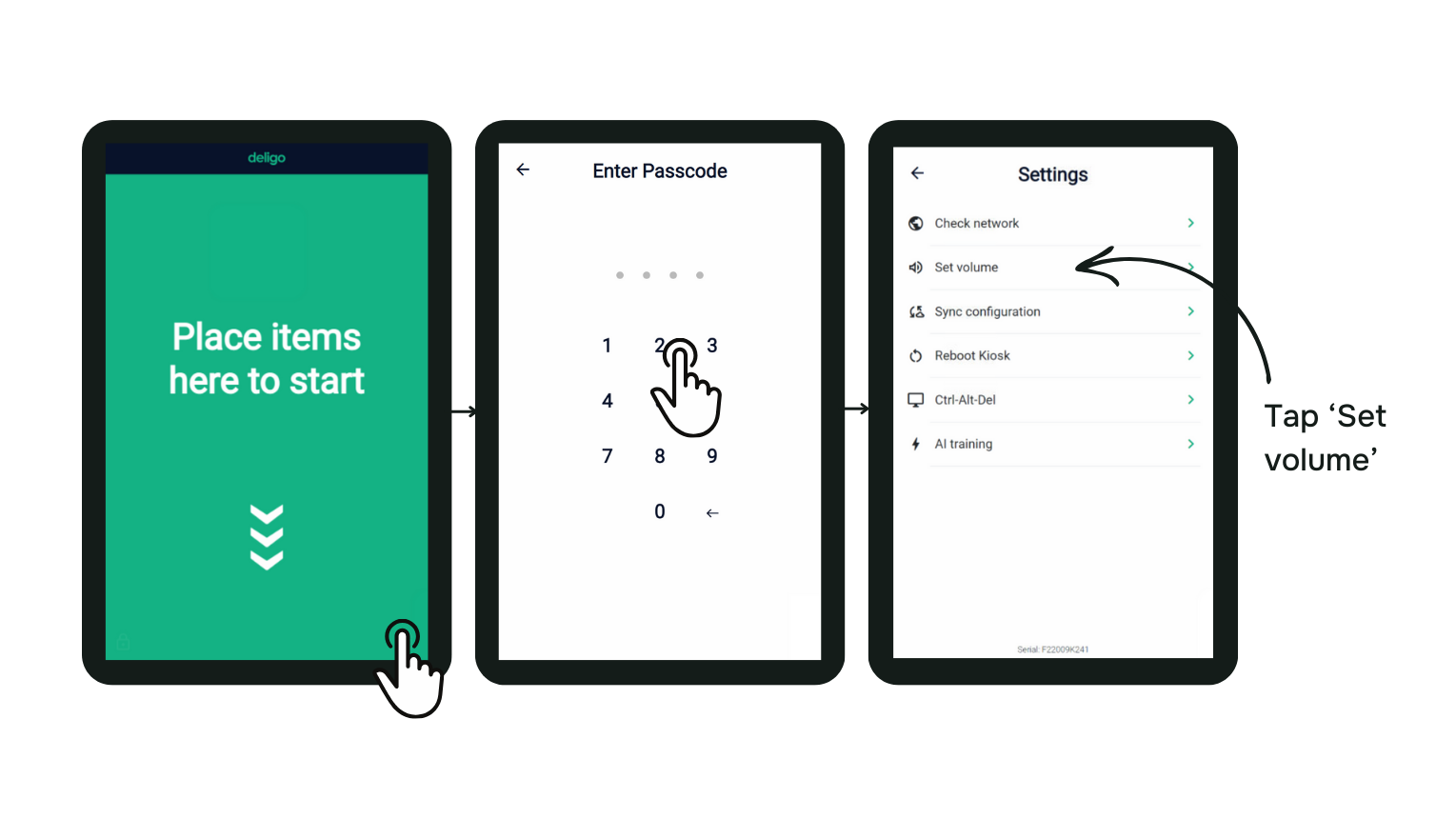
To adjust the sound level, navigate to the kiosk's settings menu and select the 'Set Volume' option. From there, you can easily adjust the sound level according to your preferences.
Was this article helpful?
Sorry about that! Care to tell us more?