
No internet connection
Error message at the bottom of the kiosk screen:

Solution: Verify the Internet connection
After confirming that Deligo’s network requirements are fulfilled, follow these steps to ensure the Internet connection is properly established.
1. Check the cable connection:
Ensure the Internet cable is securely connected to both the device and the router/modem or LAN port
Inspect the cable for any visible damage
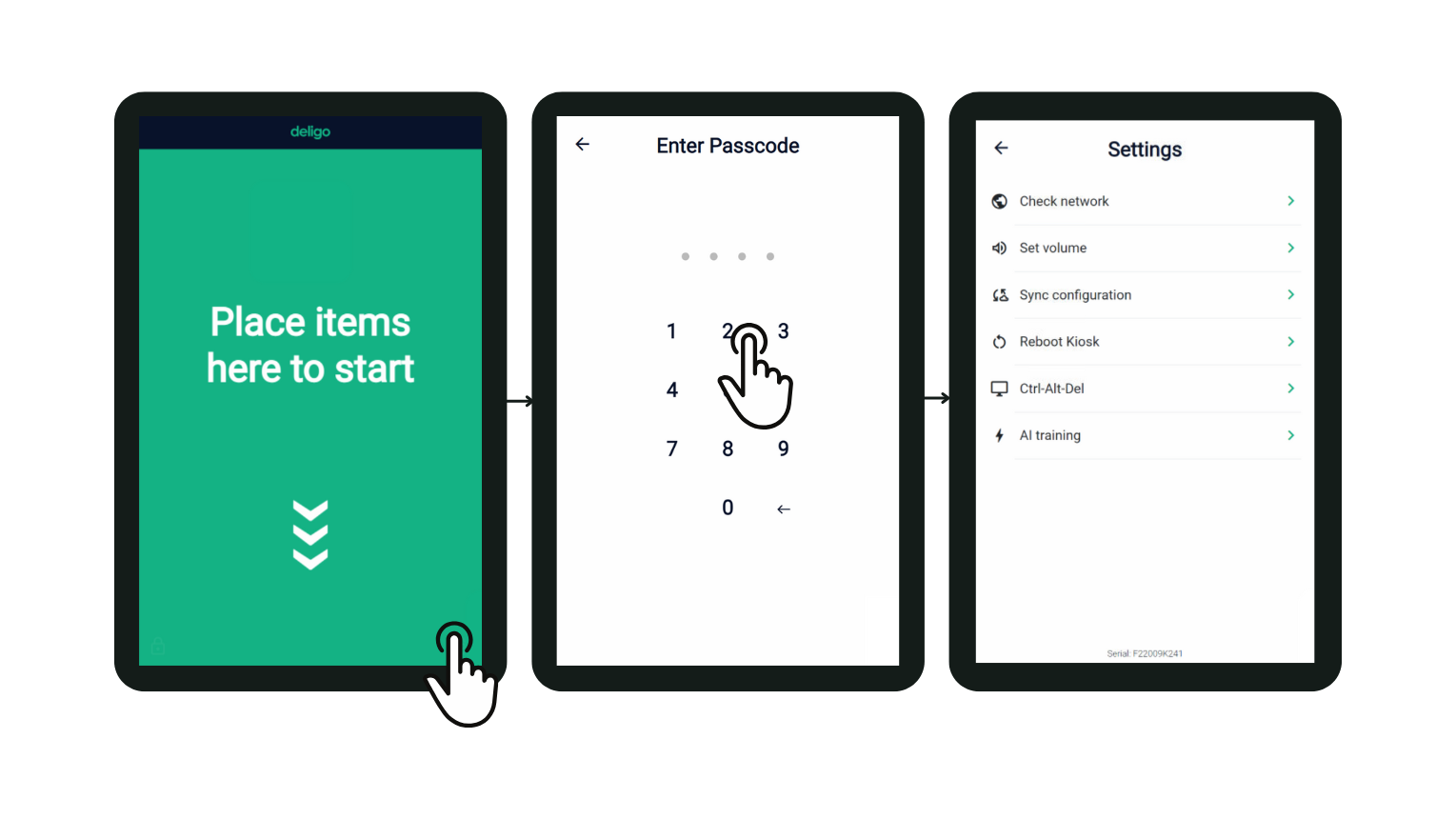
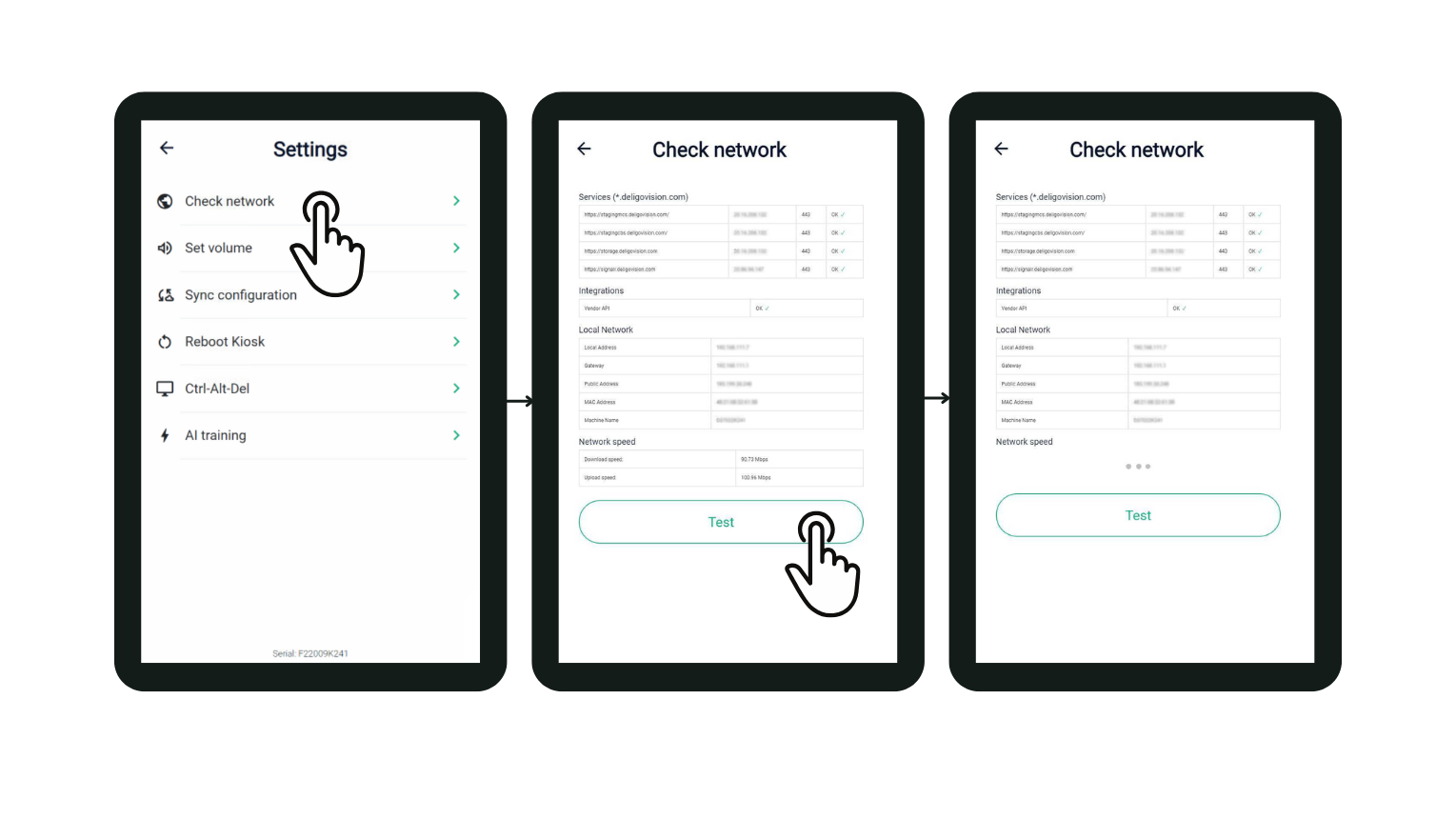
2. Run ‘Check Network’ on the kiosk to verify connections
Navigate to the Settings page
Tap ‘Check network’, the first option on the list
2. Verify Internet service:
Confirm that your Internet service is active
Test the connection with another device to see if it can access the Internet
If you still cannot connect to the Internet after following these steps, please contact your Internet service provider for further assistance.